KMM Controls
KMM uses the same murderer-kit binds as every MM2 clone, then hides them under a HUD that also holds Shop and Inventory. This page is the map of that HUD. Child pages split PC and mobile because they are different sports.
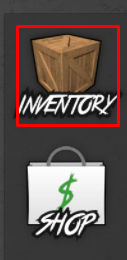
Everyone needs movement, camera, jump, and the Inventory crate on the left. Murderer adds slash and throw. Sheriff adds shoot. Trading adds a prompt. Codes live inside Inventory — see how to redeem. If a button does nothing, you are in the wrong role or the clone rebound it. Check PC or mobile before you reinstall Roblox.
Shared HUD
- Left crate — Inventory, knives, EnterCode.
- Left bag — Shop and crates.
- Role card — top of the round start.
- Map vote — lobby only.
Roblox shift-lock on PC is a Sheriff gift and a Murderer tell. Mobile auto-rotate fights throw flicks; the mobile page shows how to calm it. Scripts that add their own keybinds will collide with throw — disable them while you learn, then add scripts back. The how to play guide assumes these binds already work.
Controller support is accidental. If you play on a console-style overlay, use the on-screen Inventory and accept that throw is a face button you will hit by mistake. For real practice, PC mouse or mobile thumbs. That is the whole control story, expanded on the two child pages that interlink with this one.
Frequently asked questions
Quick answers to the most common KMM questions.
Where is the KMM code button?
Inventory crate, EnterCode field. There is no separate Codes GUI on current copies.
Can I rebind slash?
Only through Roblox’s own keybinds or a script. The clone does not ship a settings tab for it.
Why does my character sit on the floor?
Emote bug in the murder-mystery kit. Reset character or avoid the sit emote. It is not a movement bind.
Does shift-lock help?
On PC, yes for Sheriff tracking. On Murderer, it can make your camera readable.